 Rendervis
Comparison
10 Best Nano Banana Alternatives in 2026 for Architectural Rendering
Nano Banana set the bar for AI image editing, but it is not the only option for architectural work. Here is what else is out there, what it costs, and where each model fits.
12 min readRendervis
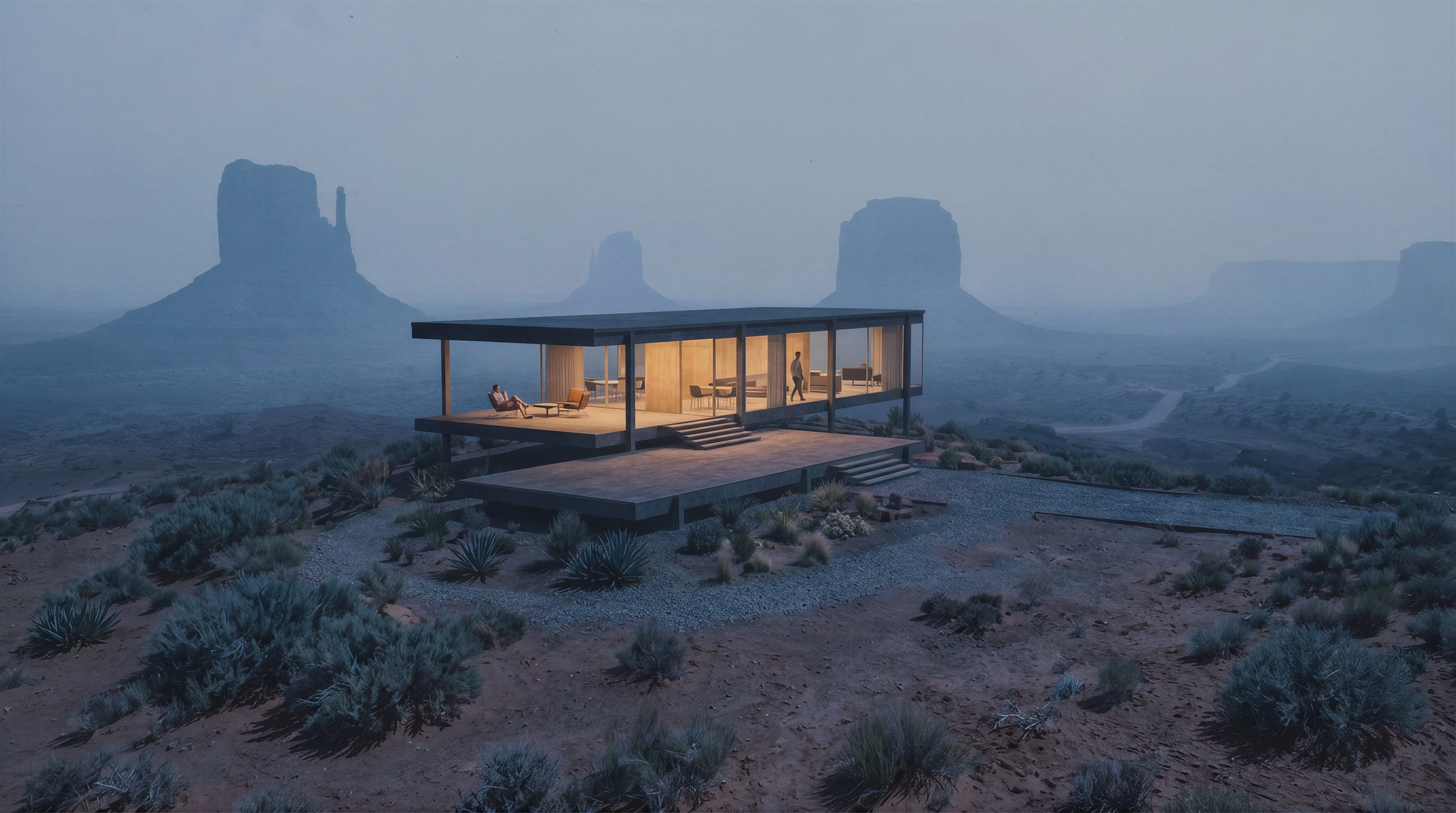
We compared 10 Nano Banana alternatives on the criteria that matter for architectural and interior design work: edit precision, realism, prompt adherence, pricing, and commercial licensing. Rendervis, Flux 2, Midjourney, Seedream, GPT Image 2, Grok Imagine, Riverflow, Qwen Image Edit, Z-Image Turbo, and Wan 2.1 each have a clear sweet spot.
Google's Gemini 3 Pro Image — better known as Nano Banana Pro — raised the floor for what AI image editing can do. Consistent edits, sharp text, real-world knowledge baked into every generation. If you want to squeeze more out of it for architecture, our guide to AI rendering prompts for architects is a good starting point.
But Nano Banana is not the only game in town, and it is not built for architecture specifically. At $0.134 per image (1K/2K via the API) and $0.24 at 4K, costs add up fast when you are iterating on facade options or generating a full set of presentation stills. There is no API free tier either.
This guide covers 10 alternatives worth knowing about if you work in architecture, interior design, or any part of the AEC pipeline. We checked every price, verified every claim, and focused on what actually matters when the output has to match a real building.
How we evaluated each tool
Most "best AI tools" lists read like press releases. We picked criteria that reflect how architects and designers actually use these models:
- Edit fidelity — can the model change one surface, swap a material, or remove an object without breaking the rest of the scene? Architecture is revision-heavy. This matters more than raw generation quality.
- Prompt adherence — does the model follow instructions precisely, or does it hallucinate details you never asked for?
- Realism — lighting, materials, textures, and spatial depth have to look convincing enough that a client trusts what they are seeing.
- Pricing — subscriptions, credit systems, API metering, and per-image costs all behave differently at scale. We noted what each model actually costs, not just the marketing headline.
- Commercial licensing — some models share your generations publicly, restrict commercial use, or require attribution. If images go into a client presentation, this is non-negotiable.
Overview at a glance
| Tool | Best for | Starting price | Pricing model |
|---|---|---|---|
| Rendervis | End-to-end architectural rendering | €49/month (Pro) | Subscription with credits |
| Flux 2 | Concept renders and marketing visuals | $0.014/image | Pay per image (API) |
| Midjourney | Early-stage concepts and mood boards | $10/month | Subscription (GPU hours) |
| Seedream 5.0 | Batch generation and branding materials | ~$0.035/image (Lite) | Pay per image (API) |
| GPT Image 2 | Natural language editing | ~$0.006–$0.211/image | Token-based (API) |
| Grok Imagine | Fast stills and video in one workflow | $0.02/image (API) | Pay per image or subscription |
| Riverflow | Brand-consistent marketing assets | $39/month | Subscription with credits |
| Qwen Image Edit | Precise text and region editing | $0.03–$0.075/image | Pay per image (API) |
| Z-Image Turbo | Fast, cheap local generation | Free (Apache 2.0) | Self-hosted or API |
| Wan 2.1 | Image-to-video walkthroughs | Free (Apache 2.0) | Self-hosted or API |
Commercial alternatives
Rendervis
Best for: Architects and interior designers who need a complete rendering workflow — stills, edits, relighting, animations — without leaving the browser.
Pricing: Starts at €49/month (Pro), €99/month (Studio for teams)
Rendervis is built by architects for architects. We studied architecture, spent years doing professional visualization work, and built the product we wished existed. Unlike general-purpose image generators, Rendervis understands architectural context: materials behave like real materials, lighting follows physical rules, and your building's geometry stays intact across iterations.
What makes it different from Nano Banana for architecture:
- Real 3D model viewer — upload your SketchUp, Revit, Archicad, or Rhino model and orbit it in the browser before rendering. You are not guessing from a flat export.
- Localized editing — retexture a single facade, swap flooring materials, or remove objects without regenerating the entire scene. The rest of the render stays exactly where it was.
- Relighting — change the time of day on a finished render. Sunrise, noon, golden hour, night. No re-render needed.
- One-click animations — turn any still into a walkthrough, timelapse, or flyover video using camera motion presets. 4K video on Pro and Studio plans.
- Post-processing built in — an AI enhancer adds final detail to textures, balances lighting, and makes renders presentation-ready without round-tripping through Photoshop.
- Flat pricing — Pro at €49/month includes 150 credits with rollover. No per-image API charges that spiral when you are iterating. Studio at €99/month gives teams up to 20 members a shared credit pool of 300 credits.
- Works with your tools — import from SketchUp, Revit, Archicad, Rhinoceros, Vectorworks, Chief Architect, AutoCAD, and more. Upload a 3D model, a sketch, or a floor plan.
Developers and firms can also integrate Rendervis into internal tools via its rendering API.
Flux 2
Best for: Concept renders, editing, and marketing visuals with high photorealism.
Pricing: Starts at $0.014/image (Klein 4B) up to $0.07/image (Max)
Flux 2 is Black Forest Labs' flagship model family. The team behind it includes researchers who helped build Stable Diffusion and Latent Diffusion — the open-source foundations a lot of current image AI is built on.
Flux 2 excels at blurring the line between AI-generated and photographed images. For architecture, that means convincing lighting, spatial coherence, and detailed material rendering.
Key strengths:
- Multi-reference support — reference up to 8 images via API (10 in the Playground) to maintain character and style consistency across multiple generations.
- Resolution up to 4MP — all Flux 2 models support up to 4-megapixel output with precise hex color control and reliable text rendering.
- Tiered model lineup — Klein for speed ($0.014–$0.015/image), Pro for production ($0.03/image for text-to-image), Flex for fine-grained control ($0.05/image), and Max for highest quality with grounding search ($0.07/image).
- Object editing — add or remove elements while preserving surrounding detail. Editing starts at $0.045/image on Pro.
The Dev variant is free for non-commercial local use, but the commercial API models require pay-per-image billing. No subscription option.
Midjourney
Best for: Concept exploration, mood boards, and artistic early-stage design visuals.
Pricing: $10/month (Basic) to $120/month (Mega)
Midjourney is the go-to for visually striking concept art and creative exploration. It prioritizes aesthetics over technical precision — which makes it excellent for early design phases but less suited to producing technically accurate architectural deliverables.
Firms like Zaha Hadid Architects have used Midjourney alongside other AI tools during ideation. Where it fits in architecture is the "what if" stage, not the client presentation.
Midjourney's strengths:
- Creative image quality — generates highly atmospheric, cinematic visuals. With the right prompts it can produce images with real photographic depth.
- Short animations — turn stills into walkthrough-style animations with camera panning and zooming. Useful for bringing static concepts to life.
- Multiple reference types — Style, Omni, and Character references let you control the aesthetic, add objects or people, and maintain character consistency across outputs.
- Stealth mode — Pro ($60/month) and Mega ($120/month) plans include private generation, keeping your work out of the public gallery.
The main trade-off: Midjourney does not lock geometry well. It can reinterpret your building, which is a deal-breaker when the output needs to match drawings. Standard plan at $30/month with unlimited Relax mode generations is where most serious users land.
Seedream 5.0
Best for: Batch generation, marketing visuals, and text-heavy design outputs.
Pricing: ~$0.035/image (Lite), ~$0.075/image (Pro)
Seedream is ByteDance's image generation model, now in its fifth generation. The Lite version launched in February 2026 as a reasoning-focused model; the Pro version followed in July 2026 with a focus on professional design work — dense infographics, multilingual text rendering in 14+ languages, and region-precise editing.
Where Seedream stands out for architecture:
- Reference accuracy — preserves geometry, layout, and structural details from uploaded reference images better than most general-purpose tools. Good for interior and exterior rendering from existing views.
- Batch generation — generate multiple variations from multiple references in one call. Useful for exploring material or color options quickly.
- Multilingual text — Pro supports 14+ languages including Arabic, Japanese, Korean, and Chinese. Helpful for international project presentations.
- Knowledge-driven generation — produces structured content including diagrams and charts, backed by stronger reasoning capabilities than purely creative models.
Seedream 5.0 Pro is available via BytePlus ModelArk API internationally. Consumer access is through Dreamina. Note that the original article claims Seedream starts at $0.03/image — the actual Lite pricing is $0.035/image and Pro is $0.075/image for up to 2.36MP.
GPT Image 2
Best for: Natural language image editing, realistic scene generation, document-style visual outputs.
Pricing: ~$0.006 (low quality) to ~$0.211 (high quality) per 1024×1024 image
OpenAI's GPT Image 2 is the current flagship image model, replacing the DALL-E series (removed May 2026). Unlike most competitors, it uses token-based billing — the cost per image depends on quality tier, output size, and whether you include reference images for editing.
What makes GPT Image 2 useful:
- Natural language control — no structured prompt engineering needed. Describe what you want in plain language and the model follows. Lower barrier to entry than Flux or Stable Diffusion.
- Multilingual text rendering — supports English, Latin-script languages, Japanese, Korean, Chinese, Hindi, and Bengali. Not perfect with dense text, but broader language coverage than most competitors.
- Quality tiers — low quality at ~$0.006/image is cheap for exploratory work; high quality at ~$0.211/image delivers strong photorealism. The 35× cost spread is the biggest lever.
- Batch API — halves token rates for asynchronous workflows, making high-volume generation significantly cheaper.
The pricing is more complex than a flat per-image fee. Editing with reference images is billed at high-fidelity input rates regardless of output quality settings, so budget 2–3× baseline costs for edit-heavy workflows. Available through ChatGPT Plus ($20/month) for casual use or the API for production.
Grok Imagine
Best for: Fast image and video generation in a unified workflow.
Pricing: $0.02/image (standard API), $10/month (SuperGrok Lite subscription)
xAI launched Grok Imagine in February 2026, built on Aurora — their own autoregressive mixture-of-experts architecture. The latest version, Grok Imagine 2.0, adds region-based editing, multi-reference inputs, and smart resize.
Aurora works differently from diffusion-based models like Flux or Stable Diffusion. It generates images token by token, building on what it has already created, which gives it unusually precise text rendering and strong prompt adherence.
Highlights:
- Speed — standard images generate in about 2–3 seconds. Among the fastest commercial models available.
- Unified image and video — generate stills from text, then convert to video in the same workflow. Video 1.5 supports up to 15-second clips at 720p with native audio.
- Aggressive pricing — $0.02/image for the standard model, $0.04–$0.08/image for the 2.0 model depending on resolution and quality. Video runs $0.08/second at 720p.
- Batch generation — generates up to 8 image variations in one run for faster exploration.
Consumer access is through SuperGrok subscriptions: Lite at $10/month (15 videos/day at 480p) and full SuperGrok at $30/month. API pricing is separate and per-image.
Riverflow
Best for: Brand-consistent marketing assets, product photography, and campaign creative.
Pricing: Starts at $39/month (Starter, 2,250 credits)
Riverflow is not an architectural visualization tool — it is a brand creative platform designed for CPG and fashion companies. But it makes this list because of how well it handles typography, brand consistency, and production-grade output quality. If you are producing marketing materials, brochures, or branded presentation assets for a practice, it is worth knowing about.
The latest version, Riverflow 2.5, introduces a reasoning model with custom scoring rubrics — you define what "good" looks like, and the model self-corrects toward your criteria.
What sets Riverflow apart:
- Font control — upload custom font files and the model reproduces them accurately in generated images. Useful for branded presentation materials.
- Brand learning — analyzes your existing brand assets and adapts generation to match your visual identity across outputs.
- High-resolution output — supports 1K, 2K, and 4K exports with transparent background mode for compositing.
- MCP integration — connects to Claude, ChatGPT, and Codex for automated creative workflows.
Plans: Starter at $39/month (225 images), Growth at $99/month (600 images, 5 brand profiles), Scale at $249/month (1,600 images, unlimited brand profiles). Annual billing saves 15–20%.
Open-source alternatives
Qwen Image Edit
Best for: Precise region-based editing, text rendering, and infographic creation.
Pricing: $0.03/image (Edit Plus) to $0.075/image (Edit Max) via Alibaba Cloud API. Free 100-image quota for new users.
Qwen Image Edit is part of Alibaba Cloud's Qwen model family. It is the editing-focused counterpart to the generation-focused Qwen Image 2.0. Known for strong bilingual text rendering (English and Chinese) and precise localized editing, it is commonly used for presentations, posters, infographics, and other text-heavy visual content.
Key capabilities:
- Semantic editing — region-based tools for adding, removing, or modifying specific elements while keeping the rest of the image intact.
- Text editing — add, delete, or modify text in both English and Chinese with high accuracy.
- Style transfer — copy an artistic style from a reference image and apply it to a target.
- Appearance editing — adjust colors, replace backgrounds, add or remove elements while preserving overall structure and consistency.
The Qwen Image 2.0 generation model (separate from the editing models) launched in February 2026 and currently leads Alibaba's AI Arena leaderboard for both text-to-image and image editing. API access is through Alibaba Cloud Model Studio (DashScope).
Z-Image Turbo
Best for: Fast, cheap image generation on consumer hardware.
Pricing: Free and open-source (Apache 2.0). API access available through third-party providers.
Z-Image Turbo is a 6-billion-parameter model from Alibaba Tongyi Lab that achieves competitive image quality in just 8 inference steps — roughly 10× faster than comparable models. It uses a Single-Stream Diffusion Transformer (S3-DiT) architecture, which processes text and image data in a unified stream rather than separate pipelines.
Why it matters:
- Consumer GPU friendly — runs on as little as 8 GB VRAM (with quantization). An NVIDIA RTX 3060 or Apple M1 Max handles it comfortably. No cloud GPU needed.
- Sub-second inference — on enterprise hardware, generation is sub-second. On consumer GPUs, still significantly faster than most alternatives.
- Bilingual text rendering — accurate in both English and Chinese.
- Apache 2.0 license — fully open for commercial use with no restrictions. One of the few competitive image models you can legally ship in a product without licensing concerns.
The trade-off: Z-Image Turbo is tuned for single-image text-to-image generation at up to 1024×1024. It does not natively support multi-reference editing or compositional tasks. For editing, you would pair it with a separate model. The undistilled Z-Image Base (released January 2026) is available for fine-tuning.
Wan 2.1
Best for: Image-to-video generation and lightweight architectural walkthrough animations.
Pricing: Free and open-source (Apache 2.0). API access via Alibaba Cloud DashScope.
Wan 2.1 is Alibaba's open-source video generation model. Like Z-Image Turbo, it runs efficiently on consumer GPUs — a 5-second 480p video takes roughly 4 minutes on an RTX 4090. The model has since been followed by newer versions (Wan 2.5, 2.6, 2.7, and 3.0 in 2026), but 2.1 remains the most accessible open-source option.
A practical architecture workflow: generate a still render using your image model of choice, then feed it into Wan 2.1 to create a dynamic walkthrough or cinematic animation with convincing spatial continuity and camera movement.
Where Wan 2.1 delivers:
- Seamless image-to-video — creates smooth video by interpolating between a start and end frame. Works well for walkthrough-style content.
- Consumer GPU compatible — optimized for consumer hardware. No expensive cloud GPU required.
- Bilingual text generation — supports English and Chinese in generated video.
- 5-second clips at up to 720p — the 2.1 models are capped at 720p and 5-second fixed duration. Newer Wan versions (2.5+) support higher resolutions, longer durations, and 1080p, but are API-only.
Note: the original article's claim of "$5/month" for Wan 2.1 is misleading — the model is open-source and free to run locally. API pricing through Alibaba Cloud is billed per second of generated video, not as a subscription.
Which alternative fits your workflow
There is no single model that replaces Nano Banana for every use case. Here is how we would pick:
- For client-ready architectural renders and a complete browser workflow: Rendervis is purpose-built for this. 3D model viewer, localized editing, relighting, animations, and flat monthly pricing that does not punish iteration.
- For early-stage concepts and creative exploration: Midjourney gives you the most visually striking output when geometry accuracy does not matter yet. Start at the $30/month Standard plan.
- For high-volume marketing visuals and branding: Seedream 5.0 and Riverflow both handle batch generation, typography, and brand consistency well. Seedream is cheaper per image; Riverflow gives you deeper brand control.
- For photorealism and precise editing on a per-image budget: Flux 2 Pro at $0.03/image offers a strong balance of quality, editing capability, and cost.
- For plain-language editing without prompt engineering: GPT Image 2 is the easiest to use. Just describe what you want. Budget for the quality tier that matches your needs.
- For fast, cheap generation you control completely: Z-Image Turbo is Apache 2.0, runs on consumer hardware, and costs nothing to generate locally.
- For turning stills into walkthrough videos: Wan 2.1 is the most accessible open-source option. For higher quality, Grok Imagine Video 1.5 handles it commercially at $0.08/second.
FAQ
Can I use Nano Banana Pro for free?
Limited free generations are available in the Gemini app for consumer users. The API has no free tier — every image is billed at $0.134 (1K/2K) or $0.24 (4K). After using free credits in the Gemini app, you are reverted to the base Nano Banana model (Gemini 2.5 Flash), which is lower quality and limited to 1K output.
What resolution does Nano Banana output?
The base model outputs around 1024px (~1MP). Nano Banana Pro can generate natively at 1K, 2K, and 4K (up to 4096×4096). 4K costs significantly more ($0.24 vs $0.134 per image via the API) and is not available on the free tier. For print work, generating at standard resolution and upscaling is often the more practical route.
Is Nano Banana worth it for architecture?
For quick edits and one-off generations, yes — it is one of the most capable general-purpose models available. For high-volume architectural work, the per-image cost model becomes expensive quickly, and the model has no architecture-specific features like 3D model viewing, relighting, or localized material editing. A purpose-built tool like Rendervis or a cheaper per-image model like Flux 2 will serve most firms better.
Which AI model is the best Nano Banana alternative?
It depends on the job. Rendervis for end-to-end architectural rendering. Flux 2 for high-quality per-image generation. Midjourney for creative concepts. Z-Image Turbo for free, local, and fast. There is no universal best — only the model that fits what you are producing.
What is the Chinese alternative to Nano Banana?
The two closest Chinese alternatives are Qwen Image Edit (Alibaba) for editing and Seedream 5.0 (ByteDance) for generation. Both support bilingual text rendering and offer competitive quality at lower per-image costs.
Bring your vision to life.