

Guide
AI post-production for architectural renders
How architects can take an existing architectural visual and push mood, materiality, and clarity much faster with AI.
4 min readRendervis
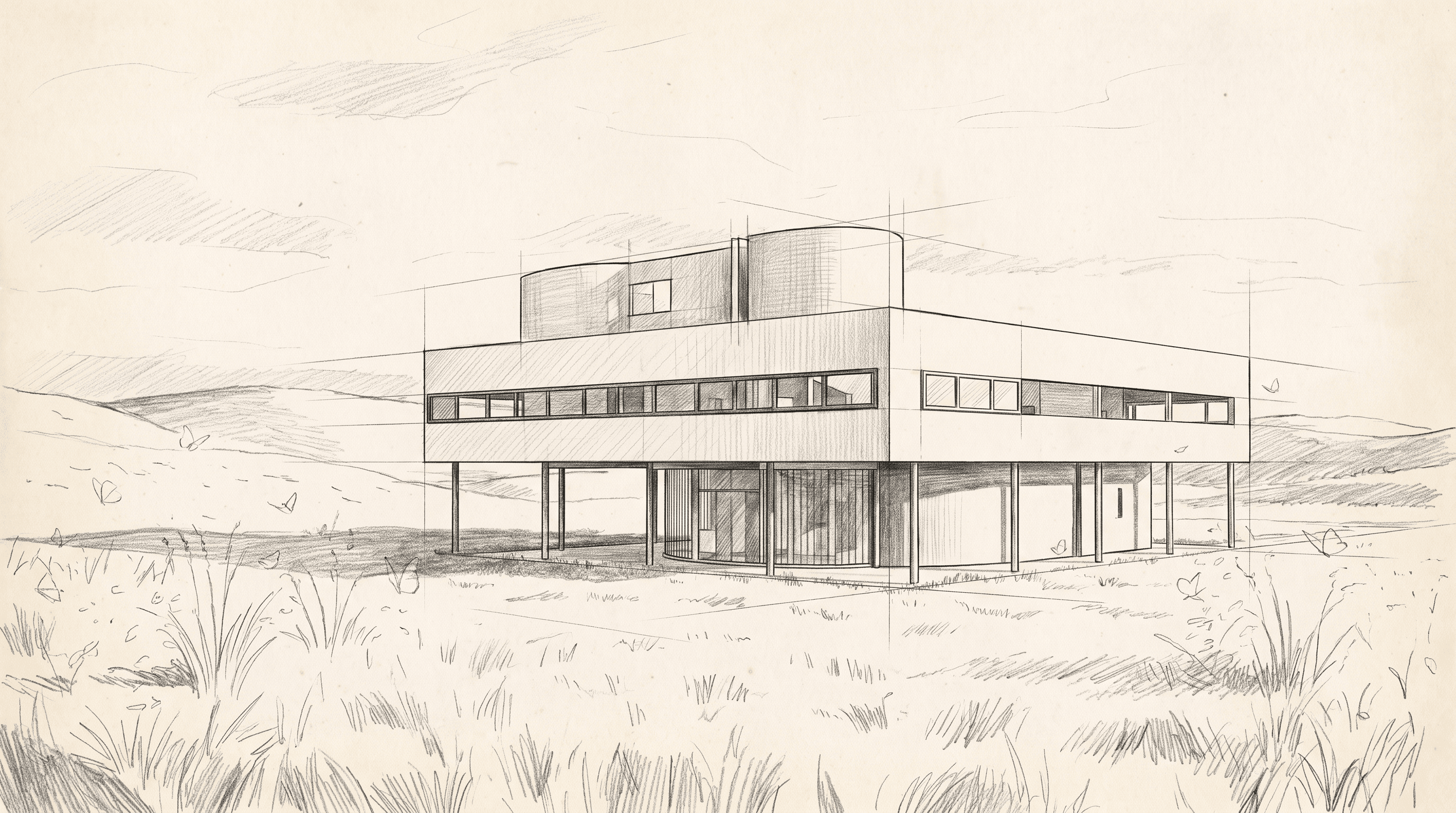
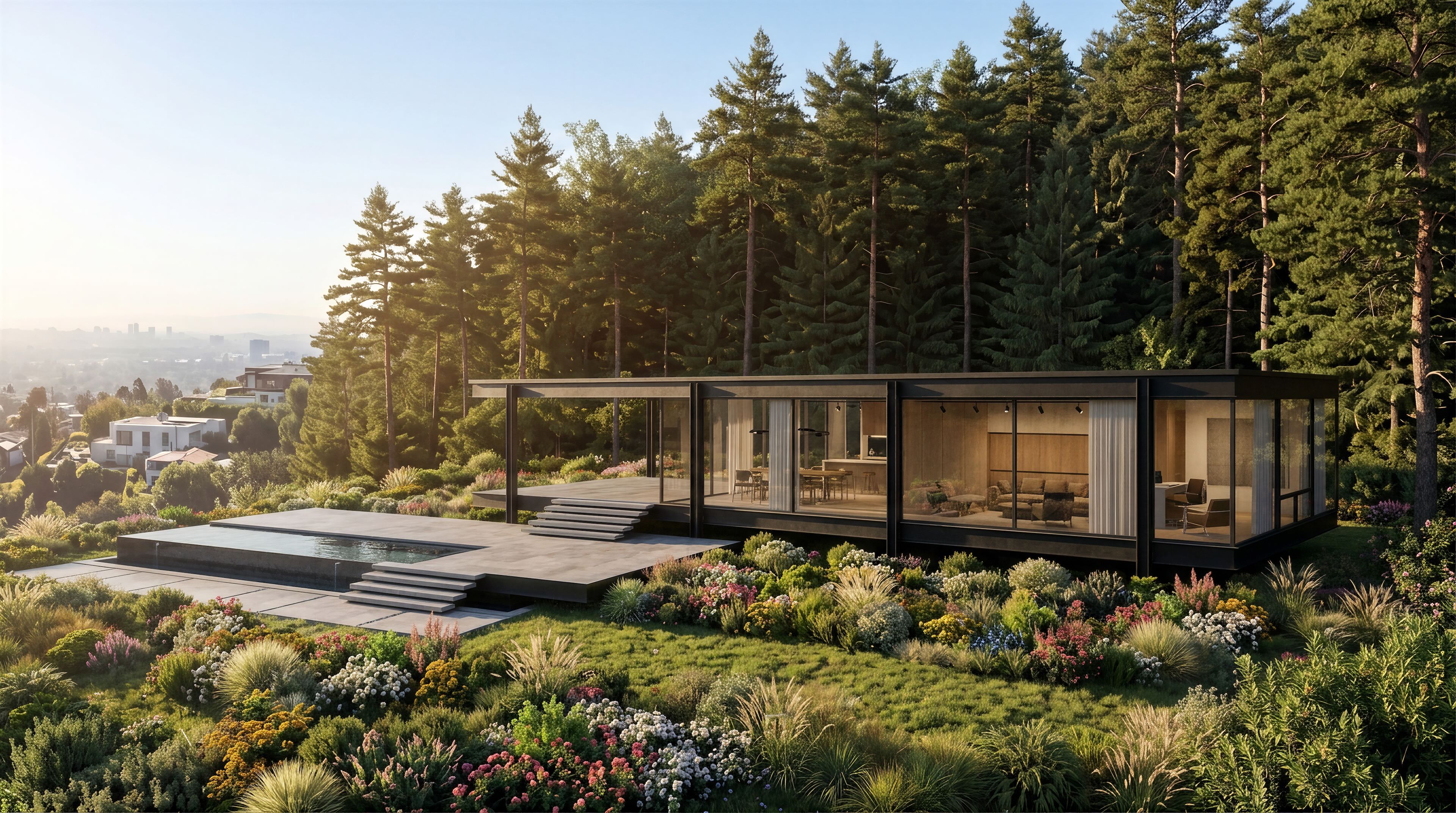
This guide explains where AI post-production fits into an architectural workflow: starting from an existing visual, exploring atmosphere and material options faster, and improving presentation images without rebuilding everything from scratch.
The gap between an idea and a convincing image used to be measured in days. A sketch went to a visualizer. A model waited in a queue. Lighting was guessed, materials were approximated, and the first still arrived after the design conversation had already moved on.
That delay shaped how architecture was designed. You committed to a direction before you could see it. Clients reacted to drawings they could not quite feel. Variations were expensive, so you made fewer of them.
Photoreal rendering does not have to sit at the end of the process anymore. If a visualization takes seconds, it becomes a way of thinking — not a deliverable you order when the design is already frozen.
Start with what you already have
You do not need a finished BIM model to see a building. Most projects already contain enough: a hand sketch, a floor plan, a massing model, a site photo, or an earlier render that never quite landed.
The useful question is not “is this geometry complete?” It is “can I see the atmosphere from this?” A plan tells you the rooms. A sketch tells you the proportion. A model tells you the mass. A photograph of the site tells you the light you will actually get.
A fast visualization workflow should accept those inputs as they are. The point is to stay close to the project, not to invent a generic building that looks like architecture.
Light is the first decision
Architects do not experience buildings as textures first. They experience light: the hour, the season, the depth of a reveal, the way a room turns gold and then blue.
When rendering is slow, you pick one time of day and hope it is the right one. When it is fast, you can relight the same view — sunrise, noon, eclipse, dusk, night — and keep the version that matches the idea.
That matters in presentations. A north-facing courtyard and a west-facing terrace are not the same building at 6pm. Clients feel that immediately when they can see it. They rarely feel it from a line drawing.
Materials are arguments, not decoration
Changing aluminum to brick, or brick to corten, is not a late-stage overlay. It changes weight, temperature, and how the building meets the ground.
A visualization tool that is built for architecture should let you try those arguments while the plan is still moving. Photorealism is one mode. A sketch, a watercolor, or a line drawing can be the right language for a competition board or an early workshop.
The mistake is treating style as a filter you apply after the design is done. Style is how you think in public. If you can switch from photorealism to a drawing in the same view, you can talk to a contractor and a client without rebuilding the scene.
Keep every version within reach
Design is not a straight line. You try a darker brick, undo it, relight the dusk view, and then wonder what the sketch version would do to the elevation.
If each of those attempts lives in a separate file, you lose the thread. A node-based canvas — where every still can branch into another possibility — keeps the conversation visible. You can compare, return, and throw away the versions that do not feel right without losing the ones that do.
That is closer to how architects actually work: not one final image, but a tree of looks until the atmosphere holds.
What “seconds, not days” is actually for
Speed is not a party trick. It changes who gets to see the building while there is still time to change it.
- You can put a photoreal view next to the sketch in the same meeting.
- You can test lighting before you lock orientation.
- You can show material options without commissioning a new set of stills.
- You can turn a still into a walkthrough, a flyover, or a move between two views when the still is no longer enough.
The craft does not go away. You still decide the frame, the hour, and the material. What drops out is the wait between those decisions.
If you have a sketch, a model, or a plan on your desk, start from that and see the room in light — before the idea cools.
Bring your vision to life.